

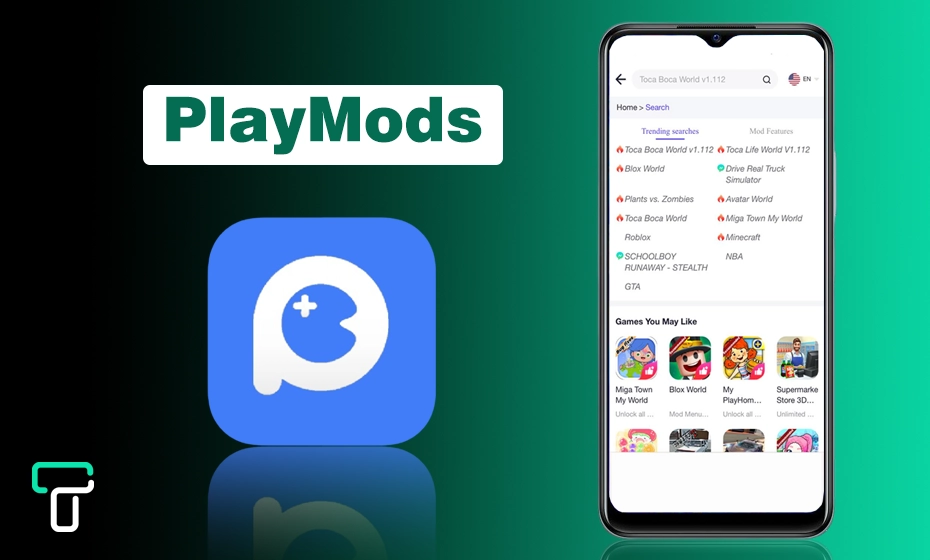
- What is PlayMods?
- Types of Apps and Games Available on PlayMods
- How Does PlayMods Work?
- Key Features of PlayMods
- Is PlayMods Safe for Android Smartphones?
- Tips to Stay Secure While Using PlayMods
- Limitations and Potential Downsides
- How to Install Playmods on Android Devices
- Safer Alternatives to PlayMods
- Final Thoughts
- People Also Ask
PlayMods is an unofficial app platform that offers modified versions of Android apps and games. Instead of getting apps from Google Play, users can download altered packages with unlocked features or in-app content.
While this seems attractive, these modded apps often pose security and privacy risks because they are not vetted by official app stores and may contain unwanted code.
In this guide, we’ll explain how PlayMods works, what users should be aware of before downloading anything, and safer alternatives you can consider to protect your device and data.
So, Stay Hooked!
What is PlayMods?
PlayMods is a third-party Android app store that gives you access to a wide range of modded games and Android applications.

Gamers can install games on their devices and enjoy a premium gaming experience for free. Unlike the Google Play Store, PlayMods gives you unlocked features, in-app purchases, an ad-free experience, and many more benefits.
Who Is PlayMods For?
PlayMods is specifically for Android users who want to have more gaming control over their apps and games.
Additionally, these are the go-to solutions for anyone who loves gaming and wants to play unlocked levels, wants to see region-locked content unlocked, or just wants to enjoy an ad-free experience.
Types of Apps and Games Available on PlayMods
1. Modded Games
You can easily download popular games like Subway Surfers, Clash of Clans, Minecraft, and GTA. These games offer exciting adventures and challenges for players of all ages.
Whether you enjoy racing, building, or fighting, there’s something for everyone. You can find different worlds where you are allowed to create your strategies and have fun with friends.
2. Unlocked Premium Apps
Many video editors use PlayMods to download editing apps with special premium features. You can also find tools for streaming, learning, everyday tasks, and VPNs available through this platform.
This makes it easy to access a variety of useful apps in one place. No matter if you need to edit videos or improve your online privacy, this software has amazing ModAPKs for you!
PlayMods doesn’t work on iPhones, or should I say, it’s collection can’t be installed on iPhones directly. If you try to do this installation process, your device would be hurted!
Saad Shah, Cheif Editor at webtech solutions
How Does PlayMods Work?
Let’s get into the exciting part. I’m about to walk you through exactly how to get PlayMods apps to bring those modified apps to your device.
1. Downloading the PlayMods APK
The PlayMods app isn’t available on the Google playstore that is why you need to access the PlayMods site directly from Samsung Internet or Chrome.
Now, choose and install your favorite app to install on your devices.
You just need to permit “Unknown Sources” in your device settings, and you can install PlayMods like any other app.
2. Browsing and Searching for Mods
- Use the search bar to find the specific app.
- Browse categories like top downloads, latest mods, or editor’s choice.
- See ratings given by users, descriptions, and update history.
3. Installing and Using Modified Apps
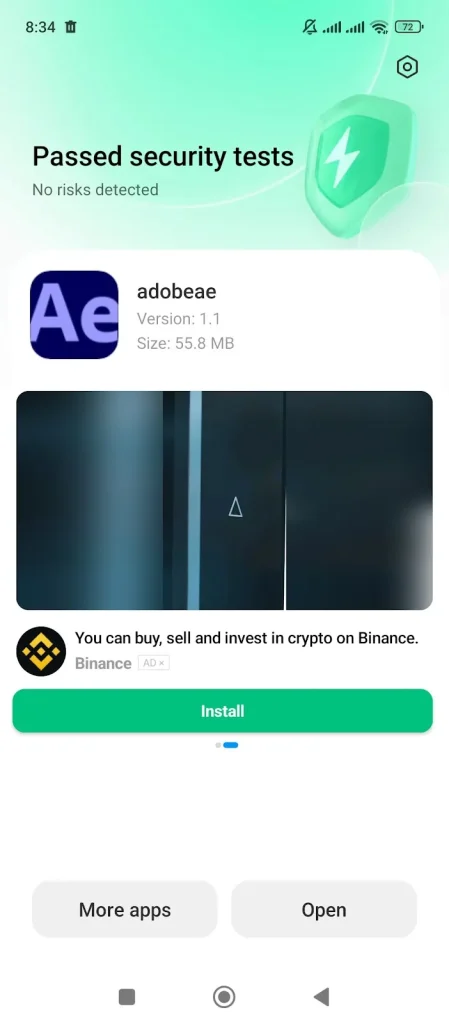
Here is the installation method of modified apps from PlayMods.
- Click the “Download” button.
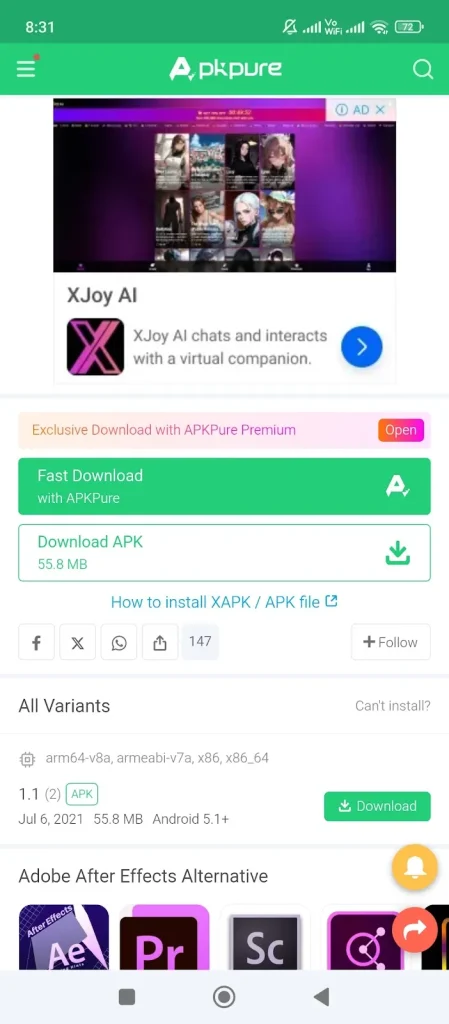
- Wait for the modded app to download.
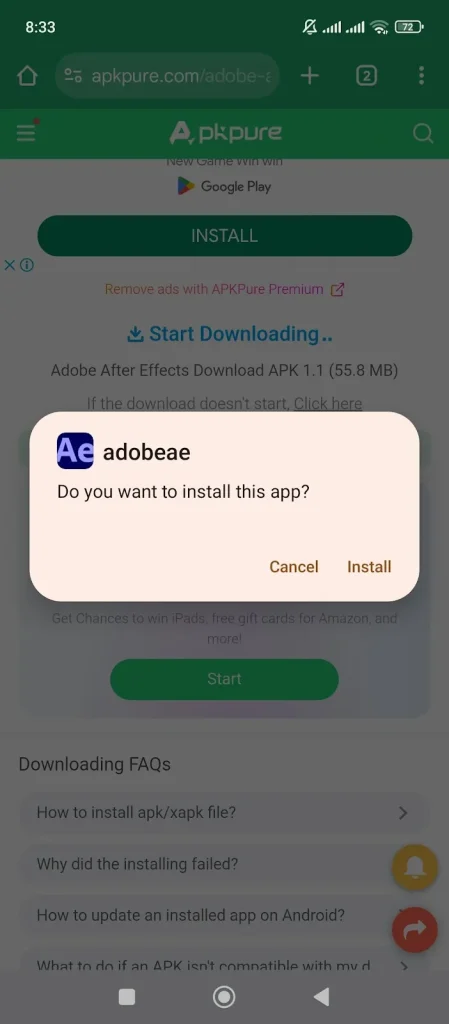
- Tap to “Install” and launch the app on your device.
Key Features of PlayMods
You can enjoy the following features by using play mods on Android devices, like smartphones and tablets.
1. Free Access to Premium Modded Apps
You don’t need to spend any of your hard-earned money on expensive apps. You can enjoy all the unlocked features without paying for a premium version. There are free options available that let you access what you need easily.
You can use such an application on the latest Samsung S22 Ultra to maximize your user experience.
2. Regular App and Game Updates
Play Mod is a simple tool that helps you find and install the latest versions of apps on your Android device. It’s easy to use, and you won’t have to pay anything or deal with complicated steps.
3. Simple and Clean User Interface
Many gamers like PlayMods because they provide a smooth experience without advertisements. These mods have a simple design that makes them easy to use, even for those who are new to gaming.
Is PlayMods Safe for Android Smartphones?
Yes, PlayMods is completely safe for Android smartphones, including Samsung, Xiaomi, Oppo, and all others.
Although you should stay focused while downloading any application, because it might cause you to face some legal considerations. Using modified apps can be risky because they might have viruses or harmful software.
It’s safer to download apps from trusted places that are known, like official app stores. Doing this helps keep your device secure from potential threats. Always check the source before downloading any app to protect yourself.
Avoiding modified apps can prevent damage to your device and loss of important information. Staying safe online should be a top priority for everyone using mobile apps.
Tips to Stay Secure While Using PlayMods
If you want to browse PlayMods securely like me, follow these pro tips to stay secure.
1. Use Official Websites
Make sure to download modified apps only from trusted websites like Play Mods. This helps ensure that the apps are safe to use on your device. Avoid downloading from unknown sources that power contain harmful software.
2. Scan Files
Before you install any modified apps, always scan the APK files. You can do this by using antivirus software available for your device. This extra step will help protect your device from viruses and other harmful issues.
3. Update Your Device
Regularly update your device to the latest version to keep it secure. Updates often include important fixes and security improvements that help your device run smoothly.
Also, be careful about giving unnecessary permissions to apps, which could compromise your privacy.
Limitations and Potential Downsides
- It violates developers’ policies.
- Modded apps always come with security vulnerabilities.
- Not available on the Google Play Store.
- It can’t be used on iOS devices.
I don’t recommend you to download and use Mod APKs from any third party to remain untouched and safe.
Fawad malik, ceo at webtech solutions
How to Install Playmods on Android Devices
You can use these easy steps to install Play Mods on any Android device.
Step 1: Enable Unknown Sources
Go to Settings>Security>Install unknown apps, then select your browser and provide the necessary permissions.
Step 2: Download the APK File from the Official Site
Visit the official PlayMods site and download the latest APK version.
Step 3: Install and Launch the App
Tap the APK file and install it on your Android mobile. Once installed, open it and start experiencing the premium features.
Safer Alternatives to PlayMods
If you like exploring new apps, it’s usually safer to download from official or verified stores rather than mod platforms. These sources review apps for malware, permissions, and policy violations, which reduces the risk of hidden code or data theft.
Here are safer options to consider:
- Google Play Store – verified apps, regular updates, and security scans.
- Official Developer Websites – best when the app owner provides a direct download.
- F-Droid (open-source apps) – community-reviewed, transparent code base.
- App Store equivalents for your device brand (where available).
Modded apps may sound convenient, but they remove the protections that come with trusted app stores — and that’s the real risk users should think about.
Final Thoughts
PlayMods gives access to modified versions of apps and games, but that convenience comes with clear trade-offs — especially around security, privacy, and stability. If you decide to explore platforms like this, always understand what you’re installing and where it comes from.
In most cases, sticking with official app stores or verified downloads is the safer long-term choice. They may not unlock every feature for free, but they protect your device, your data, and your peace of mind.
People Also Ask
PlayMods itself is legal, but modifying and distributing copyrighted apps may violate the terms of service, so you should use modded apps responsibly.
No, this application isn’t safe for iOS because you can’t install APKs on your iPhone.
Yes, everything on PlayMods is 100% free, including features that would normally be behind a paywall.
Many apps are updated within days of official releases to ensure compatibility and security.
No, PlayMods doesn’t contain any type of virus, but its mod application may transfer a virus to your devices.
Yes, Samsung is also a member of Android’s family, which is why Play Mods is safe for this smartphone too.
